Logitech
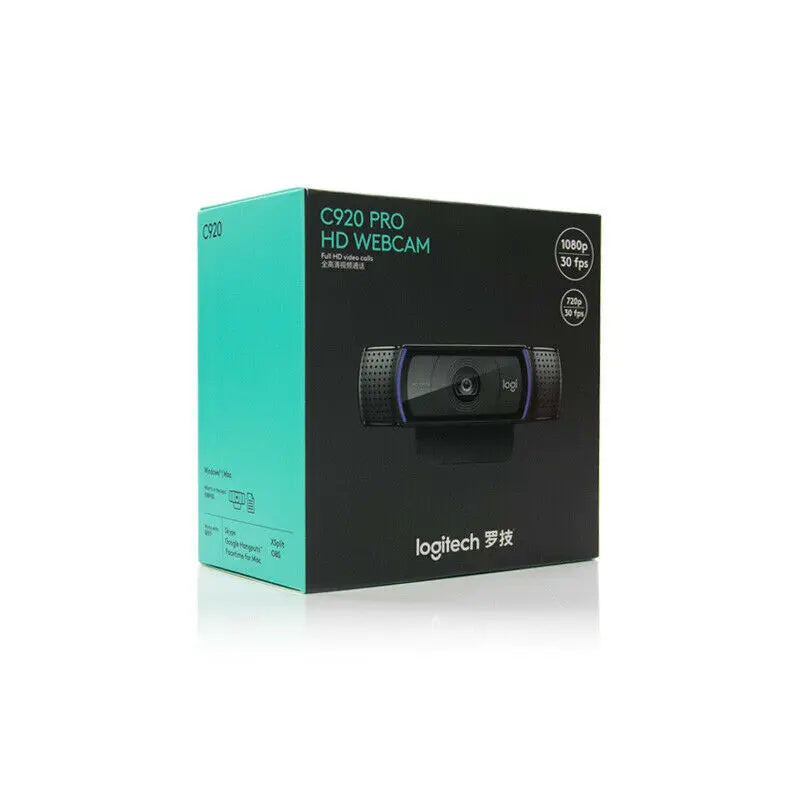
Logitech HD Pro Webcam C920e - Full HD 1080p
Logitech HD Pro Webcam C920e - Full HD 1080p
Couldn't load pickup availability
The Logitech C920e HD 1080p webcam - Full HD 1080p at 30fps, glass lens with autofocus, RightLight 2 automatic light correction, dual omnidirectional microphones, and attachable privacy shutter. USB-A plug-and-play. Zoom certified, Microsoft Teams and Google Meet compatible. 3-year warranty.
- ✓ 1080p Full HD at 30fps · 3MP glass lens · HD autofocus · 78° diagonal field of view
- ✓ RightLight 2 automatic light correction - clear image from low light to direct sunlight
- ✓ Dual omnidirectional microphones · attachable privacy shutter · USB-A plug-and-play
- ✓ Zoom certified · Teams · Meet · Webex compatible · 3-year Logitech warranty
The Logitech HD Pro Webcam C920e - Full HD 1080p - Full HD 1080p at 30fps, glass lens with autofocus, RightLight 2 automatic light correction, dual omnidirectional microphones, and attachable privacy shutter. USB-A plug-and-play. Zoom certified, Microsoft Teams and Google Meet compatible. 3-year warranty.
- ✓ 1080p Full HD at 30fps · 3MP glass lens · HD autofocus · 78° diagonal field of view
- ✓ RightLight 2 automatic light correction - clear image from low light to direct sunlight
- ✓ Dual omnidirectional microphones · attachable privacy shutter · USB-A plug-and-play
- ✓ Zoom certified · Teams · Meet · Webex compatible · 3-year Logitech warranty
The Logitech C920e is the business-oriented variant of Logitech's C920 platform - the most widely deployed USB webcam in the commercial sector. Where the consumer C920 targets home and personal use, the C920e is designed for consistent performance across managed IT environments, with TAA compliance for US federal deployments and a focus on video call quality rather than video recording. The 1080p Full HD glass lens delivers significantly sharper, more detailed image quality than the plastic lens units found in most laptop built-in cameras and competing webcams at this price point. RightLight 2 analyses the scene and adjusts exposure and white balance automatically, keeping the subject correctly exposed whether they are sitting in front of a window in bright daylight or in a dim office under artificial light. The dual omnidirectional microphones are activated via the Logi Tune desktop application, which also provides controls for zoom, colour and manual focus - giving IT administrators and users precise control over how the camera performs in each environment. The attachable privacy shutter physically covers the lens when not in use, a hardware solution that does not rely on software for privacy. USB-A plug-and-play - no driver installation required on Windows, macOS or ChromeOS. Certified for Zoom and compatible with Microsoft Teams, Google Meet, Cisco Webex, BlueJeans and GoToMeeting. 3-year Logitech limited hardware warranty.
1080p · Glass Lens · Autofocus
Optics That Beat Every Laptop Built-In
The C920e uses a glass lens rather than the plastic lens found on most webcams at comparable price points and on virtually all laptop built-in cameras. Glass lenses have lower chromatic aberration - the colour fringing that plastic lenses produce at high-contrast edges - and maintain sharper focus across the frame without the softening towards the edges that characterises inexpensive plastic optics. At 1920 × 1080 pixels and 30fps, the C920e delivers true Full HD video rather than the interpolated or upscaled output from cameras that claim 1080p but capture at a lower native resolution. The 78° diagonal field of view is calibrated for individual users in a standard office or home desk setup - wide enough to show a comfortable frame of the user and some background context, but not so wide that the perspective distorts faces or makes the user appear small in the frame. HD autofocus adjusts focus continuously throughout the call, which is relevant when users lean forward or move during a presentation or conversation - the camera tracks the focus point rather than locking on a fixed distance from the lens at the start of the session.
RightLight 2 · Dual Omni Mics
Consistent Video and Audio in Any Environment
RightLight 2 is Logitech's automatic exposure and white balance system, which analyses the scene in real time and adjusts the camera's exposure settings to keep the subject correctly lit. The primary problem it solves is backlit environments - a user sitting in front of a window in daylight would appear as a silhouette on a camera without automatic exposure compensation, because the bright background forces a low exposure that underexposes the foreground subject. RightLight 2 identifies the subject as the primary region of interest and adjusts exposure to correctly expose the face rather than the background, maintaining visibility in conditions that would otherwise produce unusable video. The dual omnidirectional microphones are positioned on each side of the lens housing and activated through the Logi Tune desktop application, which enables the mics and provides control over their input level. Optimised for voice capture up to one metre from the camera, the microphones suppress background noise and produce call audio that is substantially clearer than the single microphone units found on most competitor webcams at this price point. The independent left and right mic placement provides a degree of directional audio capture that improves intelligibility on calls.
Privacy Shutter · Business Platform
C920e vs C920 - What's Different
The C920e is the business-targeted variant of the C920 platform, with three differences from the consumer C920 and C920S models. First, the microphones on the C920e are not active at plug-and-play - they require enabling through the Logi Tune app, which gives IT administrators control over whether the microphone is accessible without additional software policy. On the consumer C920, the mics are active immediately on connection. Second, the C920e includes an attachable physical privacy shutter that clips over the lens - a mechanical lens cover that cannot be bypassed by software, addressing privacy compliance requirements in regulated environments. The consumer C920S includes an integrated privacy shutter; the C920e's is a separate clip-on accessory that provides the same function. Third, the C920e carries TAA (Trade Agreements Act) compliance for US federal procurement, which is not relevant for UK consumers but indicates the product's supply chain standards. For individual users and small businesses, the C920e is functionally identical to the C920S with the addition of the detachable shutter and the mic activation step. Mounting is via the adjustable universal clip that fits flat panel monitors, laptop screens and standard tripod threads.
Right choice if you…
✔ Need a reliable 1080p webcam for video calls on Zoom, Teams, Meet or Webex - certified for all major platforms
✔ Work from home and want significantly better video quality than your laptop's built-in camera
✔ Work in variable or challenging lighting - RightLight 2 keeps you correctly exposed regardless of background brightness
✔ Want a physical privacy shutter for between-call privacy - no software dependency
Consider something else if…
✖ You need 4K resolution - see the Logitech BRIO 4K for ultra-HD video conferencing
✖ You need plug-and-play microphone access without installing Logi Tune - the consumer C920 or C920S activates mics immediately on connection
✖ You need a USB-C connection - the C920e uses USB-A only; a USB-A to USB-C adapter is required for USB-C-only laptops
Technical Specifications
| Brand | Logitech |
| Model | C920e HD 1080p Business Webcam |
| MPN | 960-001360 |
| EAN / GTIN | 0097855162045 |
| Video Resolution | 1080p Full HD at 30fps · 720p at 30fps |
| Megapixels | 3MP |
| Lens | Glass · HD autofocus |
| Field of View | 78° diagonal |
| Light Correction | RightLight 2 automatic |
| Microphones | Dual omnidirectional · up to 1m · enabled via Logi Tune |
| Privacy Shutter | Attachable (included) |
| Connection | USB-A · plug-and-play · 1.5m integrated cable |
| Mounting | Universal clip - monitor / laptop · tripod thread |
| Certifications | Zoom certified · Teams · Google Meet · Webex compatible |
| OS Compatibility | Windows 8+ · macOS 10.10+ · ChromeOS |
| Dimensions | 94 × 71 × 43.3mm |
| Weight | 162g |
| Warranty | 3-year Logitech limited hardware warranty |
In the Box
Logitech C920e webcam with 1.5m integrated USB-A cable
Attachable privacy shutter
Frequently Asked Questions
Why don't the microphones work when I first plug in the C920e?
The C920e's microphones are disabled by default and must be enabled through the free Logi Tune desktop app (available at logitech.com/tune). This is an intentional design decision for the business variant - it gives IT administrators control over microphone access in managed environments. Download and install Logi Tune, open the app with the C920e connected, and enable the microphones from the camera settings panel. Once enabled, they remain on for subsequent use.
What is the difference between the C920e and C920?
The C920e is the business variant - mics are disabled by default (require Logi Tune to activate), a detachable physical privacy shutter is included, and the camera carries TAA compliance. The consumer C920 and C920S have plug-and-play microphones active immediately on connection; the C920S also includes an integrated privacy shutter. Video quality between C920e and C920S is identical - same 1080p glass lens, same RightLight 2, same autofocus.
Does the C920e work with a USB-C laptop?
The C920e uses a USB-A connector. Most USB-C laptops include at least one USB-A port alongside USB-C. If your laptop has USB-C only (MacBook, some Dell XPS, Surface models), a USB-A to USB-C adapter or USB hub with USB-A ports connects the camera without issue - the camera is USB 2.0 and functions on any USB port including USB-C via adapter.
Does the C920e require software or drivers to work?
No driver installation is required - the C920e is plug-and-play on Windows 8 and later, macOS 10.10 and later, and ChromeOS. The video feed is available immediately in any application that can access a webcam. Logi Tune is required only to activate and control the microphones and to access advanced camera controls (zoom, colour, manual focus). For video-only use, no additional software is needed.
Condition
Brand New - Retail Packaging
Warranty
3 Years · Logitech Limited
Delivery
4-5 Working Days · Fully Tracked
Also Available at maibo
Browse the full webcams and peripherals range at maibo.
{
“@context”: “https://schema.org”,
“@type”: “FAQPage”,
“mainEntity”: [
{
“@type”: “Question”,
“name”: “Why don’t the Logitech C920e microphones work when first connected?”,
“acceptedAnswer”: {
“@type”: “Answer”,
“text”: “The C920e mics are disabled by default - enable them via the free Logi Tune app (logitech.com/tune). This is intentional for business deployments. Once enabled in Logi Tune, mics remain on for subsequent sessions.”
}
},
{
“@type”: “Question”,
“name”: “What is the difference between the Logitech C920e and C920?”,
“acceptedAnswer”: {
“@type”: “Answer”,
“text”: “C920e: mics disabled by default (Logi Tune required), detachable privacy shutter included, TAA compliant. Consumer C920/C920S: mics active plug-and-play, C920S has integrated privacy shutter. Video quality is identical across all three.”
}
},
{
“@type”: “Question”,
“name”: “Does the Logitech C920e work with a USB-C only laptop?”,
“acceptedAnswer”: {
“@type”: “Answer”,
“text”: “Yes via USB-A to USB-C adapter or USB hub. The C920e is USB 2.0 and works on any USB port. No performance difference via adapter.”
}
},
{
“@type”: “Question”,
“name”: “Does the Logitech C920e need drivers or software to work?”,
“acceptedAnswer”: {
“@type”: “Answer”,
“text”: “No drivers needed - plug-and-play on Windows 8+, macOS 10.10+, ChromeOS. Logi Tune is required only to enable the microphones and access advanced camera controls. Video works immediately without any software.”
}
}
]
}
Share